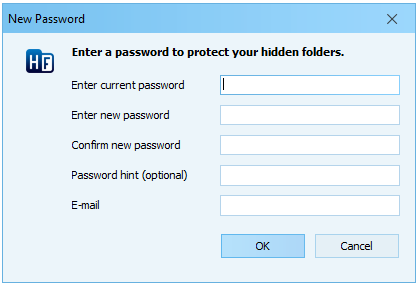
Use this dialog window to protect your hidden folders with a password.
Enter current password - enter your current password. If you enter it incorrectly, your password will not be changed.
Enter your password - enter your new password.
Confirm your password - enter your new password again. If the passwords don't match, the OK button will not be enabled.
Password hint (optional) - a reminder that may help you remember your password.
E-mail (optional) - your password recovery email address. If you lose your password, you can recover it automatically using this email address. Make sure you enter it correctly.
To clear your current password, leave the new password and confirmation fields blank, then click OK.
Attention
Keep in mind that anyone who starts Hide Folders will be able to see the password hint.
2. Hide Folders passwords are case-sensitive. This means that "PASSWORD" and "password" are treated as different passwords.