My Lockbox allows you to securely hide, lock, and password-protect any folder on your computer, keeping your private data safe from unauthorized access. Your files will be completely inaccessible to both local and remote users. To get access to the locked folder, you will need to enter the correct password.
With My Lockbox, you can have peace of mind knowing that your sensitive information is safeguarded against unwanted intrusion. Keep your personal files and documents secure with the added layer of protection provided by My Lockbox.
The easiest way to protect a folder
How to lock a folder with My Lockbox?
Right after the installation of My Lockbox, you will be asked to provide the location of the protected folder. On completion of the installation, your folder will become hidden and locked.
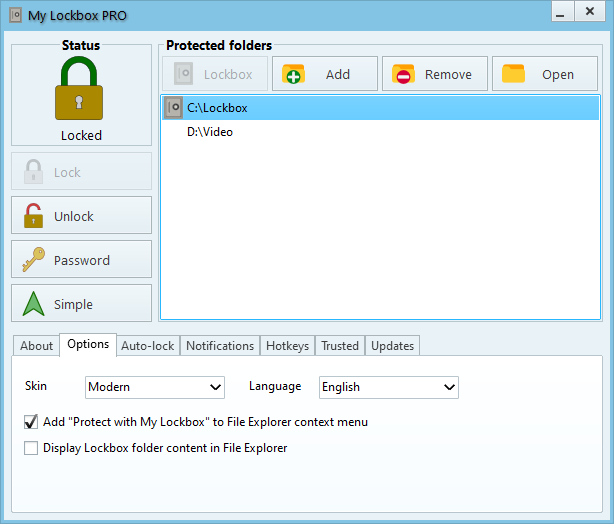
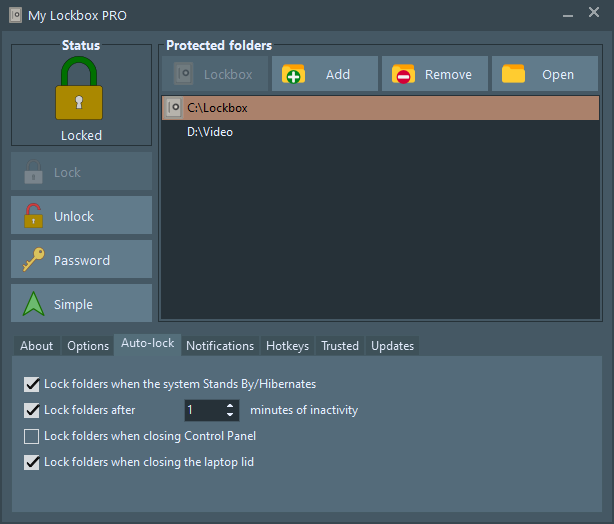
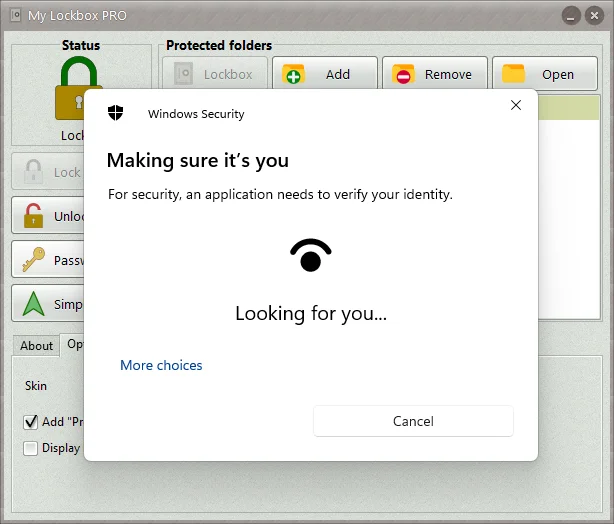
- Extremely easy to use;
- Clear, convenient user interface available in more than 15 languages;
- Hotkey combinations for basic actions;
- Instant data protection with no limits on the size of protected data;
- Password protection for locked data and program uninstallation;
- Free edition protects one folder with unlimited number of subfolders. Professional edition protects an unlimited number of folders;
- Interactive password prompt to unlock your folders when you access them;
- Supports Windows Hello to authenticate you via PIN, face, or fingerprint;
- Instant and safe online password recovery;
- Almost any folder on your computer can be password protected;
- Prevents you from locking system-critical folders, e.g. C:\Windows;
- Trusted processes feature lets backup, antivirus, or similar software back up or scan your protected folder;
- Protects folders even in Windows safe mode;
- Renaming an upper-level folder does not reveal protected files;
- Compatible with all modern 64-bit Windows, including Windows on ARM64;
- Modern skinned user interface;
-
Freeware
(can be upgraded to My Lockbox Professional edition which enables you to protect any number of folders).
Info
Version: 6.0
Released: Aug 1, 2026
Supported OS: Windows 10, 11 (x64, ARM64)
License: Free!
Upgrade to Pro: $29.95