Hide Folder Ext is a unique program that hides folders on external drives. While all other folder hiding applications are intended to hide folders on internal drives, Hide Folder Ext lets you hide folders on external drives (external HDD, flash drive, pen drive, etc) or removable media (Secure Digital cards, CompactFlash cards, Memory Sticks).
Hide a folder on an external disk and it will be invisible even if you connect this disk to another computer!
With Hide Folder Ext you can easily protect a folder on an external drive, no matter how it is connected to your computer – USB, IEEE1394 (FireWire), Serial ATA (eSATA), IDE.
Features and benefits
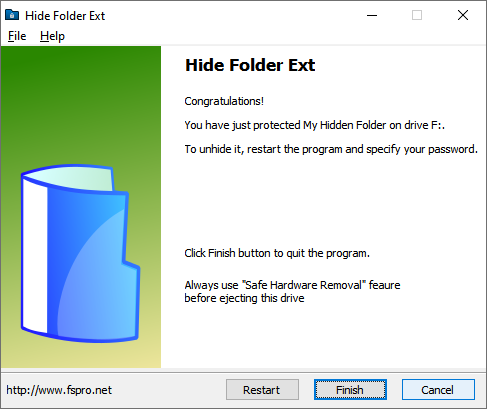
- The protected folder will be invisible on your computer and other computers;
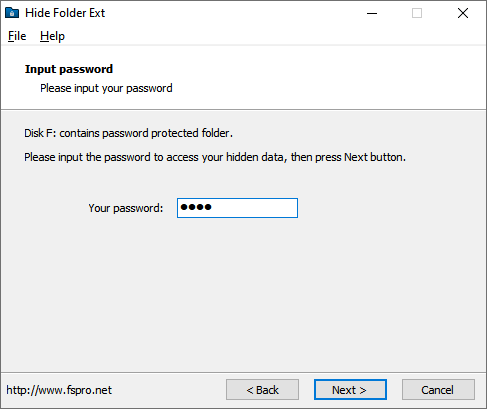
- To make the hidden folder visible, you must run Hide Folder Ext and enter the correct password;
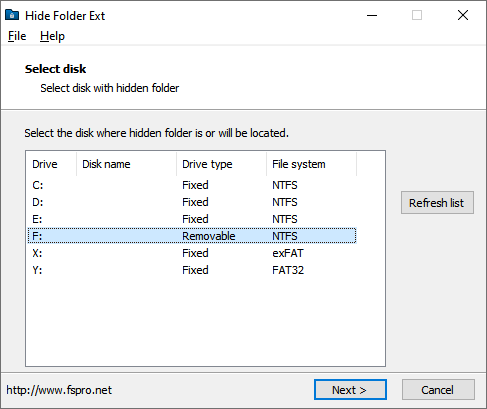
- NTFS, exFAT, FAT32 and FAT volumes are supported;
- You can hide one folder per disk, and there is no limit to the number of disks;
- Uninstalling the program will not unprotect hidden folders;
- Hidden folders remain invisible if the computer is running in Safe Mode or has been started from another copy of Windows;
- Extremely easy-to-use user interface implemented as a common wizard;
- Portable mode: the program can run not only from the installation location, but from other folders or drives.
Info
Version: 3.0
Released: May 4, 2026
Supported OS: Windows 7, 8, 10, 11 (x64, Arm64)
License: Free to try
One-time purchase: $39.95